 by
by In Saros, you may come across a handful of collectibles, but due to the somewhat randomised nature of the game, you also may not. If you're at all confused about how and where to find these items — Audio Logs, Text Logs, and Holo Logs — that's where this page comes in. As part of our Saros guide, we're going to explain how and where these collectibles may appear.
How to Find Audio Logs, Text Logs, and Holo Logs in Saros

Audio Logs, Text Logs, and Holo Logs are types of collectibles in the game, and fortunately, they're fairly easy to spot.
Usually, they are located down Side Paths, but can appear along the main path as well.
Subscribe to Push Square on YouTube171k
All three of these items are indicated in the world by a white glow that's easy to spot against the environment.
When you get close enough, a little pop-up will indicate what they are so you know what you're about to collect.
If you're still struggling to find them, your best bet is to regularly check your mini-map, which is located in the bottom right corner of the screen. You can also call up the main map (press Touch Pad) to see these collectibles in even greater detail.
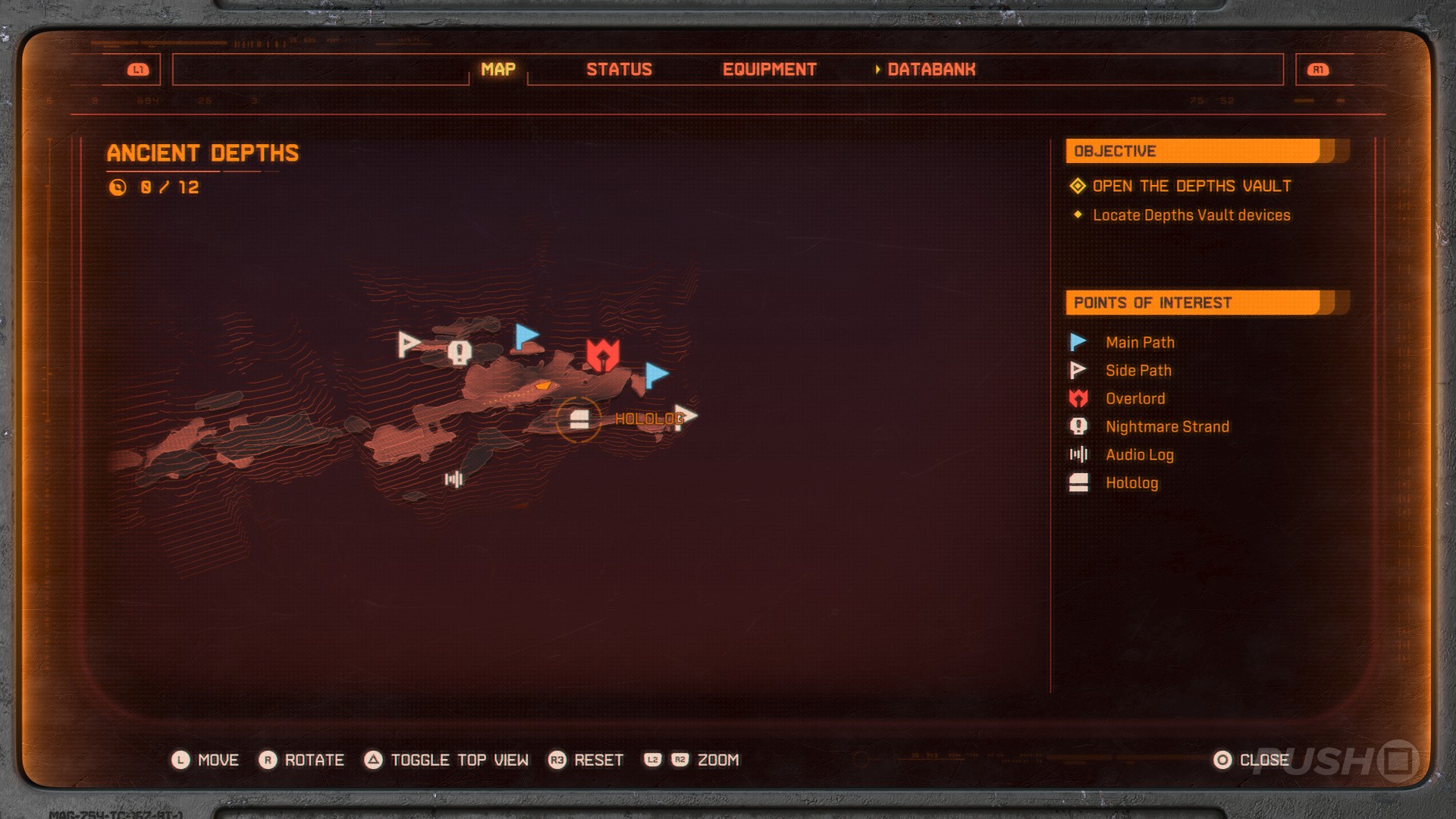
On the map, white icons indicate various Points of Interest in your vicinity. If an Audio Log, Text Log, or Hololog is nearby, these will be highlighted on the map for you.
The last thing to mention is that, before you begin a run, you can see how many collectibles you have left to find in each biome.

Open Primary, then tab over to the World Dial. Here, as you highlight each biome, the number of collectibles and other materials you've found within them is shown on the right, giving you an idea of how close you are to finding everything.
That's how to find Audio Logs, Text Logs, and Holo Logs in Saros. Have you found them all yet? Tell us in the comments section below, and check out our Saros guide for more.
PlayStation Buttons based on work by VictorPines, CC BY-SA 4.0, via Wikimedia Commons


Comments 0
Wow, no comments yet... why not be the first?
Leave A Comment
Hold on there, you need to login to post a comment...