 by
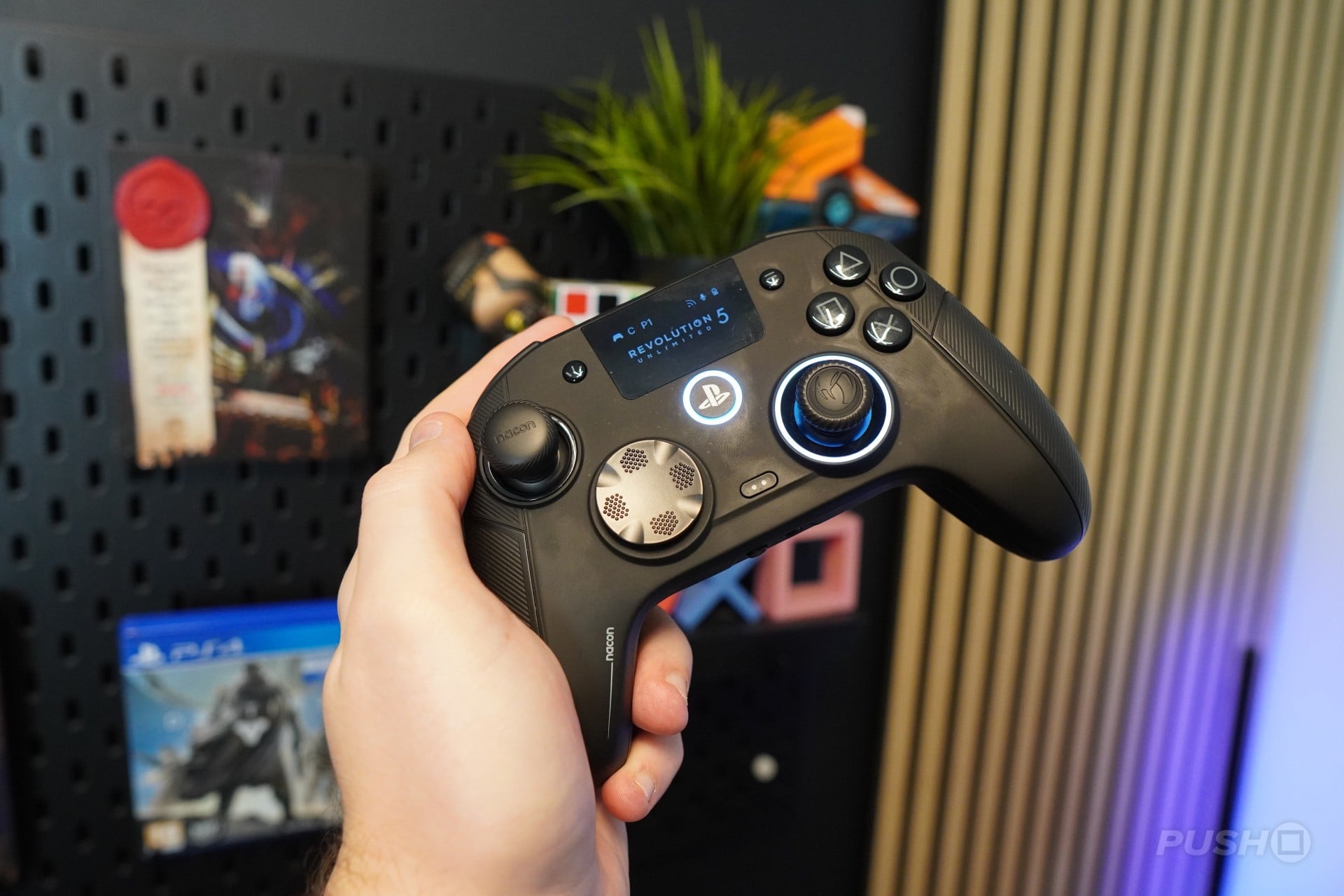
For the last month, I’ve been levelling up my game with the Nacon Revolution 5 Unlimited, a hefty pro controller for PS5. With a myriad of customisable features, including trigger travel length and even its weight, I’m going to break down whether this controller is worth your time.
What Is the NACON Revolution 5 Unlimited?
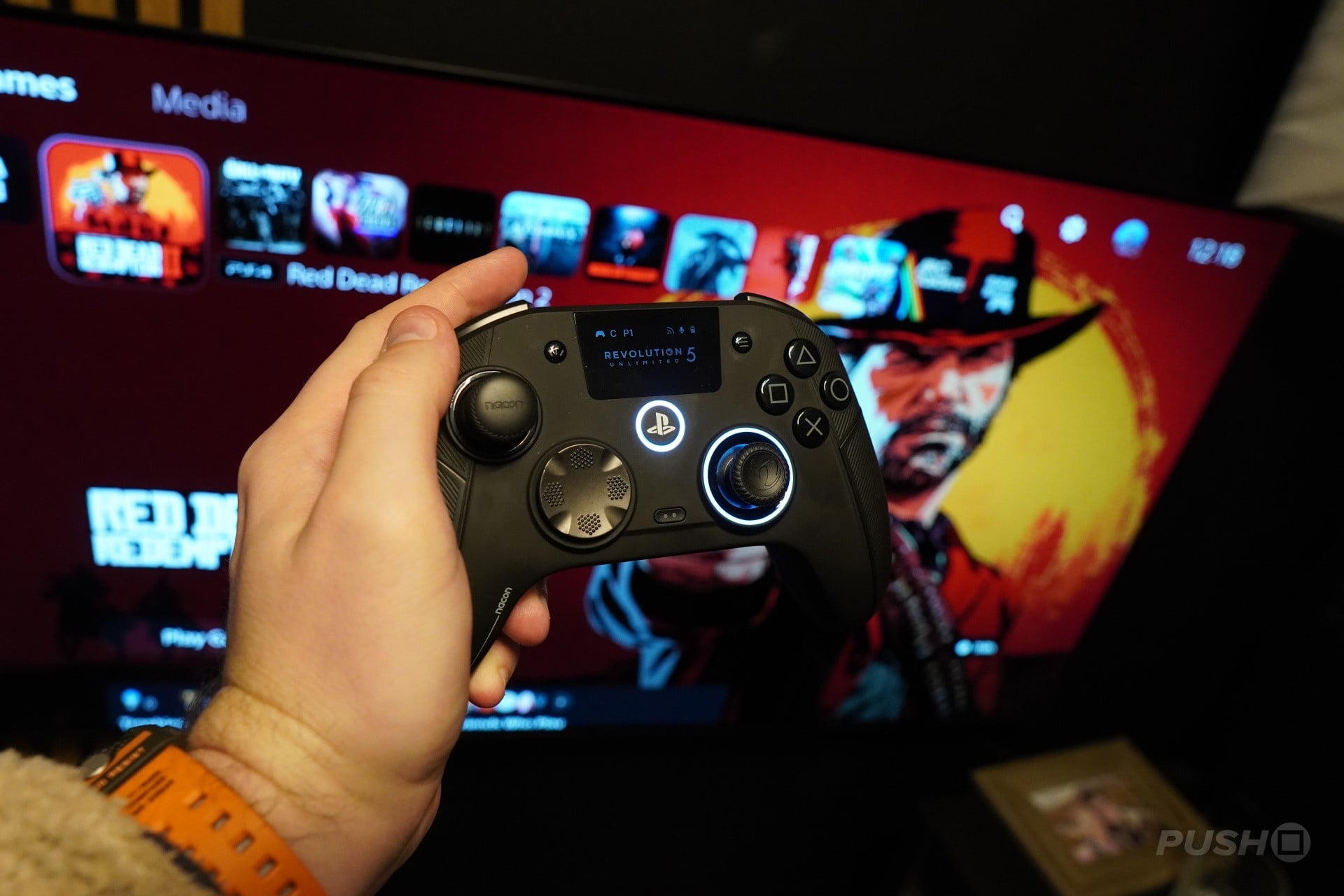
The NACON Revolution 5 Unlimited is a big old pro controller, compatible with both PS5 and PC. It connects to PS5 via a dongle, can also connect wirelessly, offering 2.4Ghz connection for either, and offers Bluetooth connectivity too.
It features TMR thumbsticks, eradicating the worry of stick drift, along with swappable thumbstick tips and varying weights to fit in the grips of the controller, so you can customise the feel of the controller to your liking.
The big headliner here is a screen display in the centre of the controller, which allows access to simple customising menus without the need for an additional app — but we'll get into that later.
This Nacon Revolution 5 Unlimited will set you back £179.90/$229.90, actually making it one of the cheaper options in the pro controller market.
What’s in the Box?
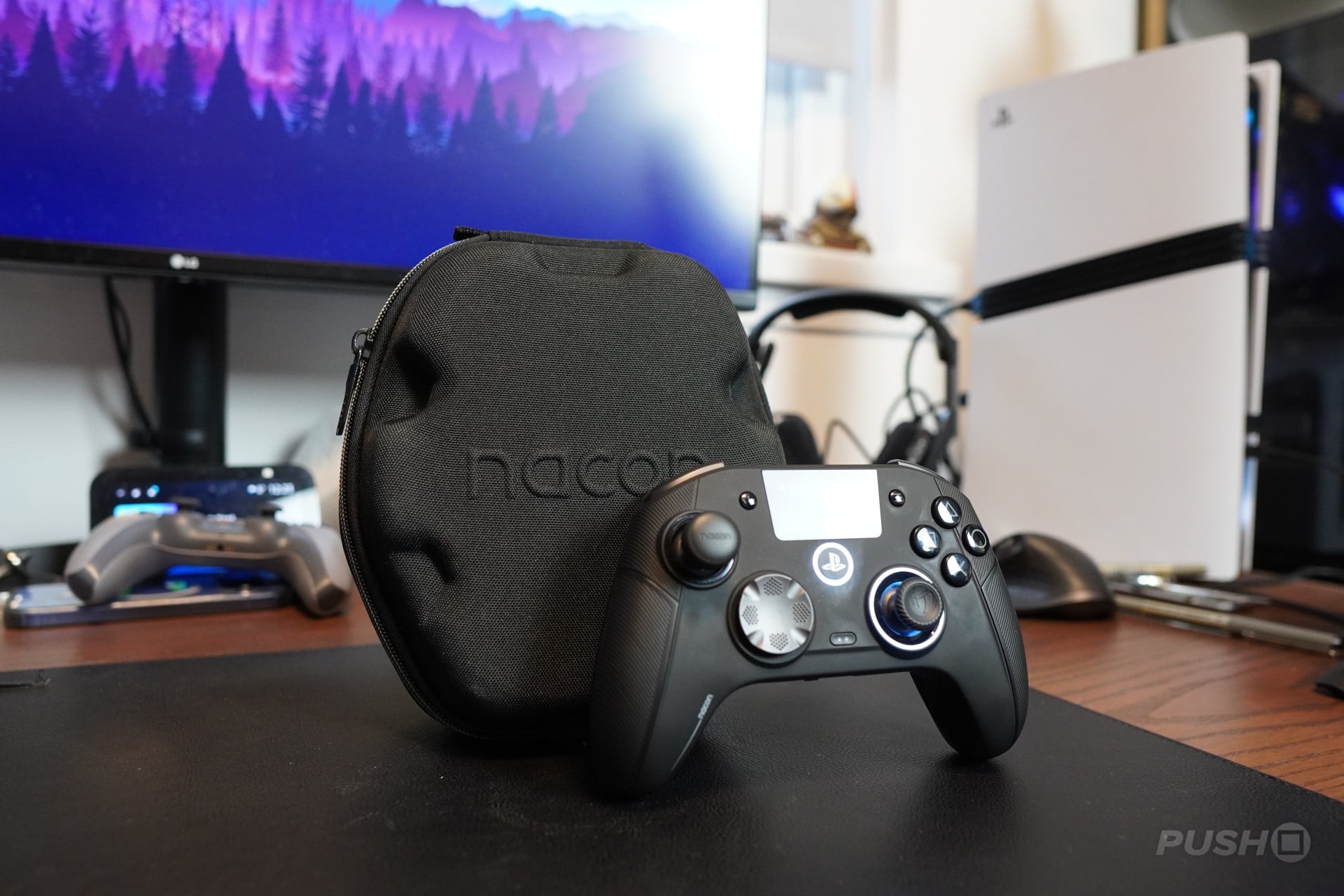
The NACON Revolution 5 Unlimited, which I’m just going to call the Rev5 from now on, comes in a rugged, hardshell case, with NACON branding embossed on the front.
Inside, the controller, of course, along with a collection of switchable thumbsticks, a D-Pad alternative, and weights which can be placed on the inside of the controller, a braided USB-A to C cable, the dongle, and the charging base.
The Design
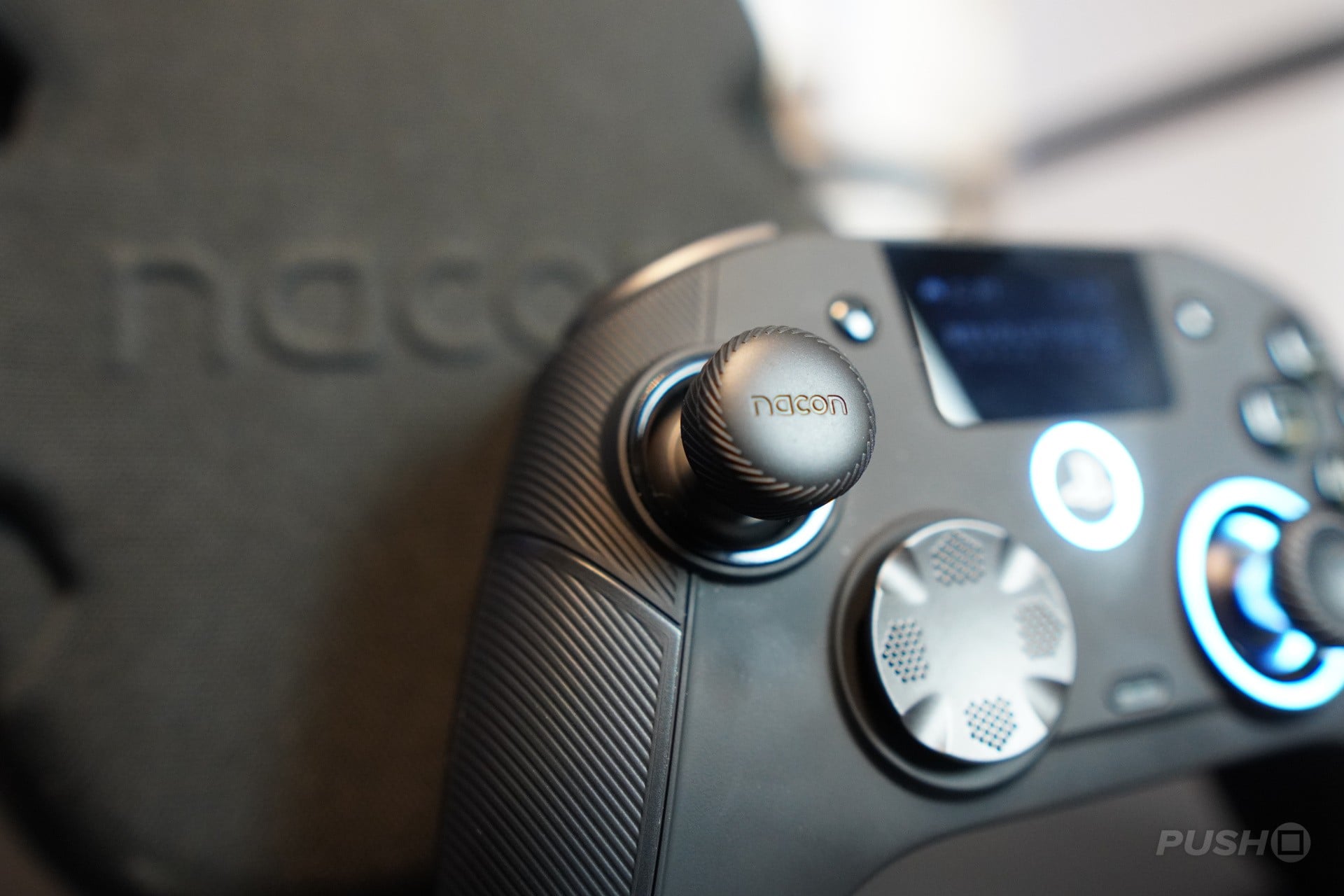
The form factor is easily one of my favourite things about the Rev5. This is a pretty large, meaty controller, which, personally, I really like. It fills the hands, and immediately, all of the buttons feel like they are in naturally reachable places – something that wasn’t the case with the SCUF Omega, in my opinion.
Your eye will immediately be drawn to this little screen in the middle, and we’ll get to some of its features in a minute, but it definitely gives the Rev5 a premium look. The grips of the controller offer a ribbed rubber coating with a sleek black finish. The thumbsticks, d-pad, and triggers all have textured finishes, giving each a nice firm feel. There’s a satisfying clicky feel to the face buttons and back paddles, which are naturally placed where my fingers wrap around the back of the controller.
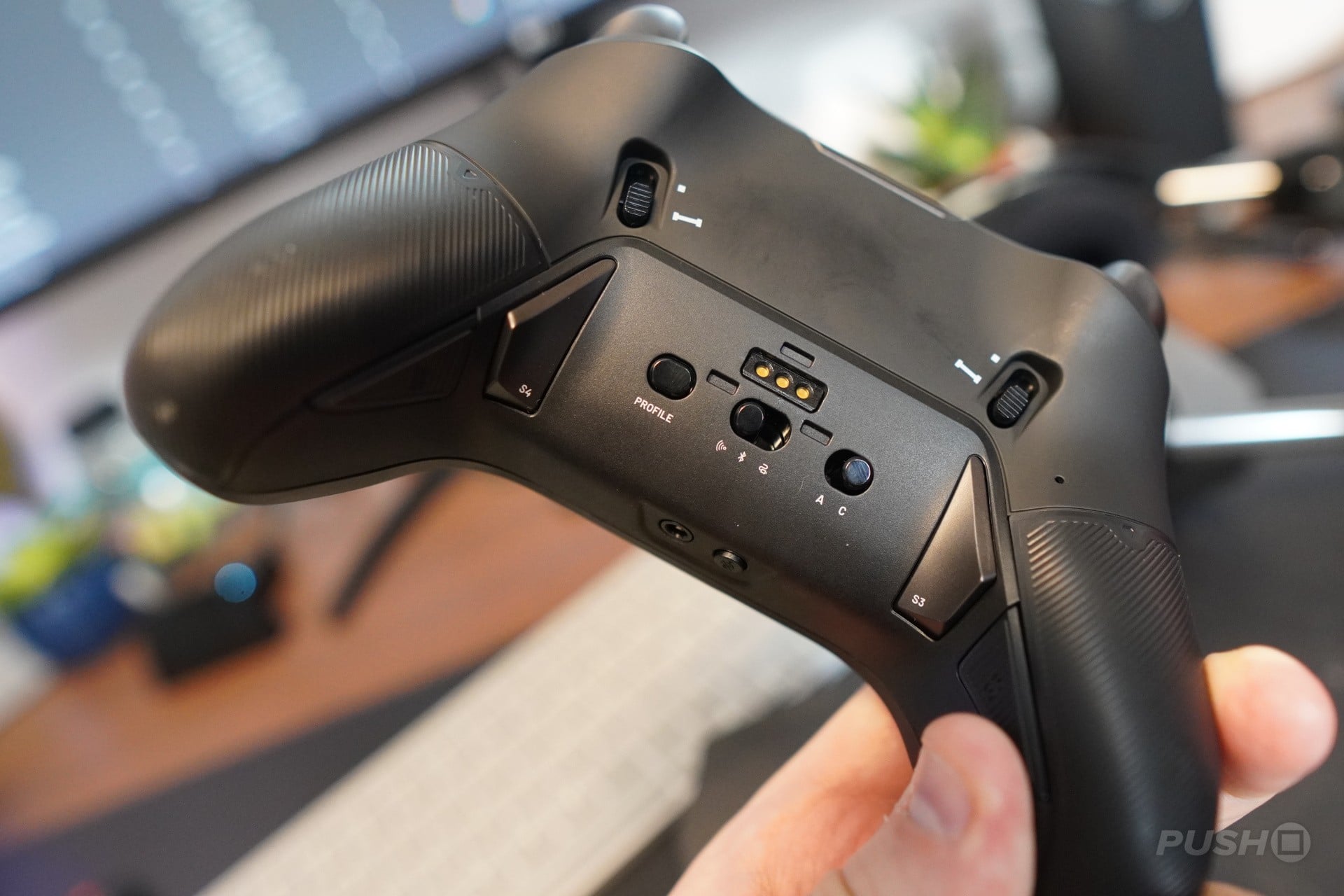
I love the triggers on this thing, which remind me of the Xbox controllers, actually. They have a nice smooth travel for the longer setting, but can also be switched to a mouse-like click, with a toggle on the back. I have to say, these are some of my favourite trigger length toggles that I’ve used on a pro controller. They are so easy to access and customise, without the need for longer nails to pick at them.
My only real complaints about the design are that the finish does make the controller a victim to smudges and smears, and the substitute button for the touchpad is a little small, which can be a pain if you want to quickly check leaderboards, for example.
Customising and Connecting
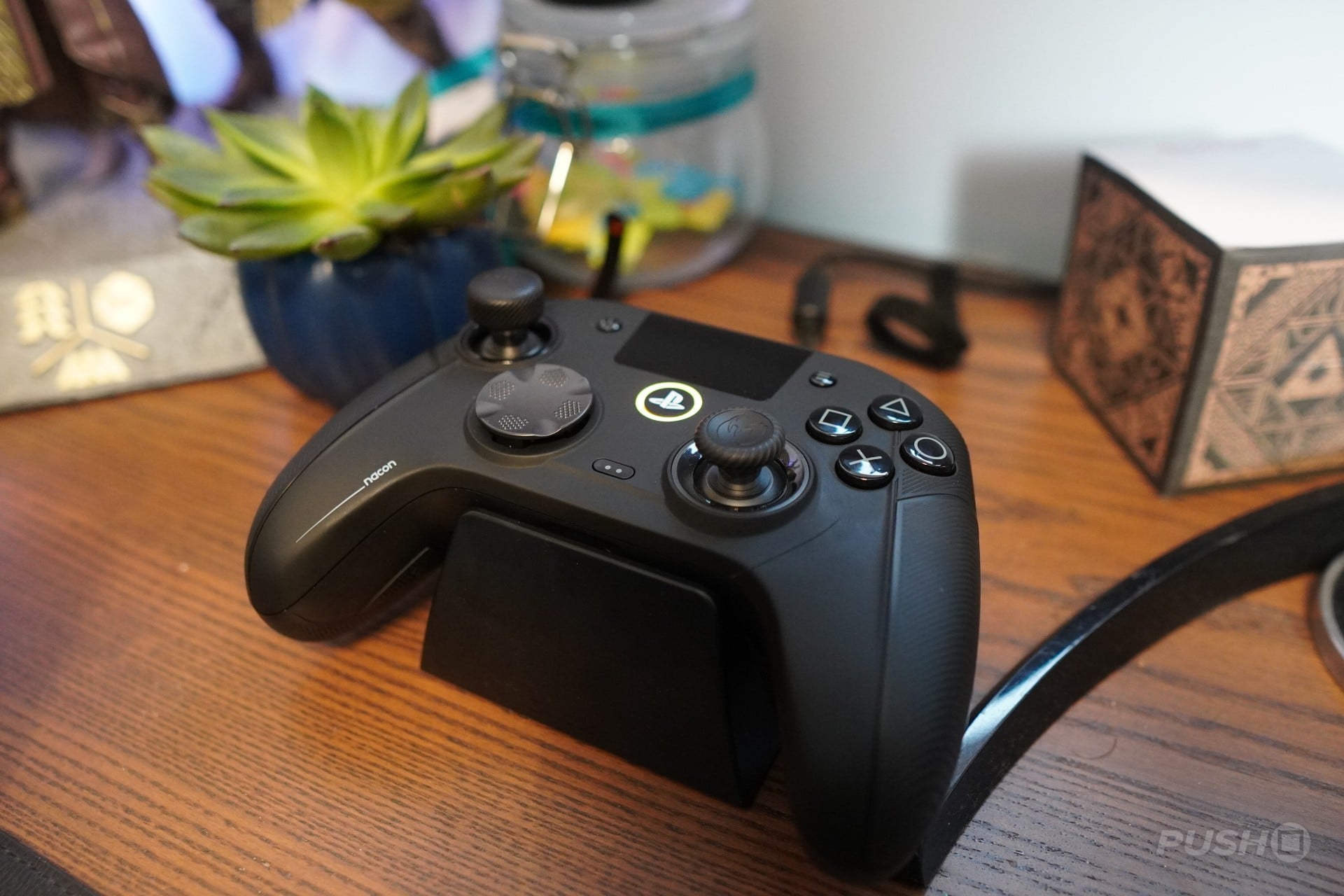
Connecting this thing to the PS5 is a right doddle. You can use it wired with the braided cable, but most of my use was with the dongle.
What I really liked about this dongle is that it could be used whilst plugged into the back of the charging base, with a USB-A to C cable connecting to the PS5, meaning you can connect and charge the Rev5 with the use of just one USB-A port. However, if you're on the go, you can also just plug the dongle straight into the PS5, without the need for the charging base.
Annoyingly, however, you aren’t able to turn the PS5 on with this controller. You have to manually turn it on, then connect the Rev5, regardless of whether you are connecting wirelessly or wired.
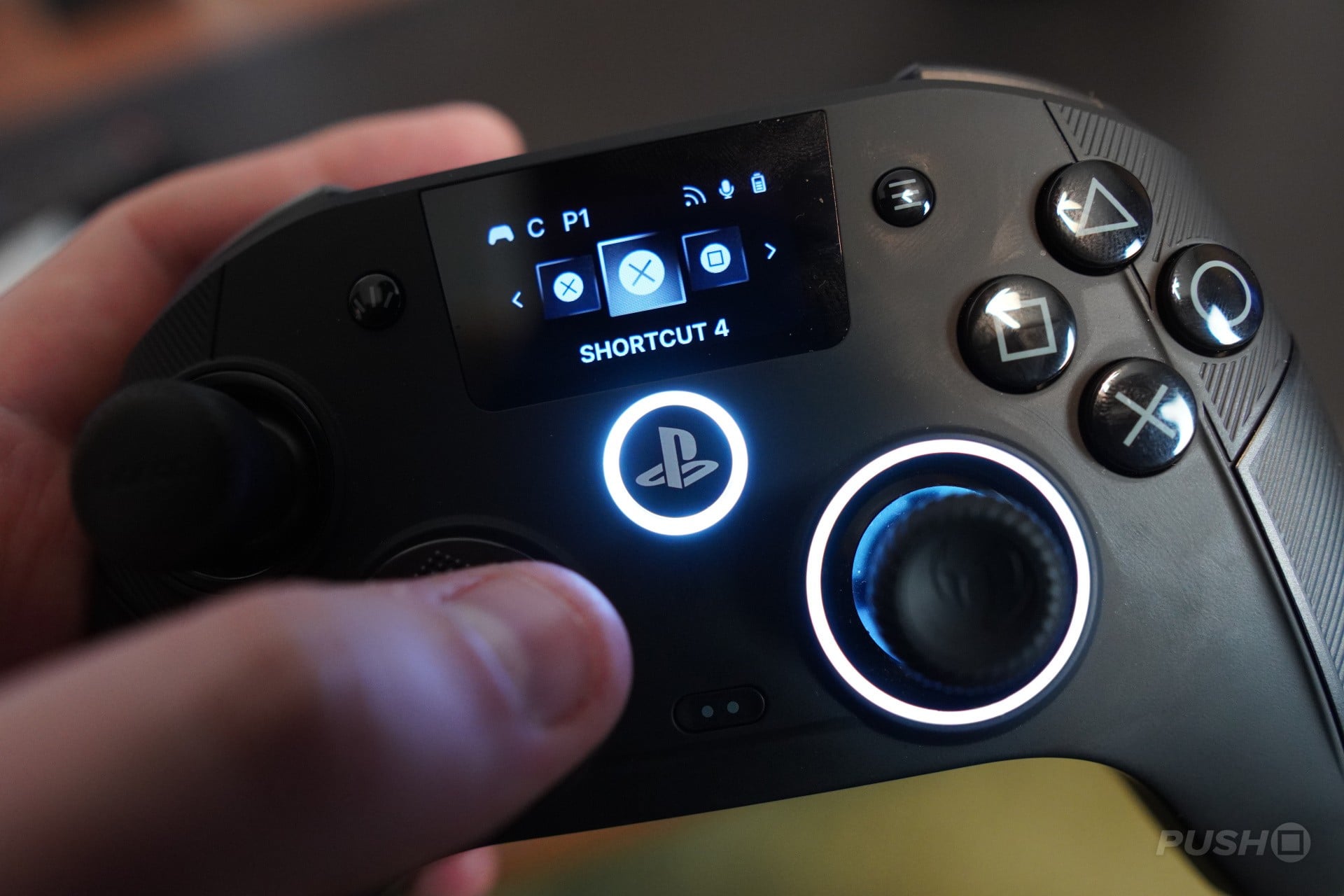
Then there is that screen, which is really cool, but it did take me a moment to get my head around. A customise button on the top of the controller halts all inputs to the console and lets you navigate a simple menu system.
Here you can customise things like thumbstick dead zones, audio and mic input (if you’re using a wired headset), and customise each of the six additional buttons around the controller.
You’re then able to make four custom profiles, which you can switch between with a tap of the Profile button on the back of the controller. It’s not quite DualSense Edge levels of ease, but it is great.
If a little screen menu isn’t cutting it for you, there is also still the option to download the Nacon app and customise more intensely from there.
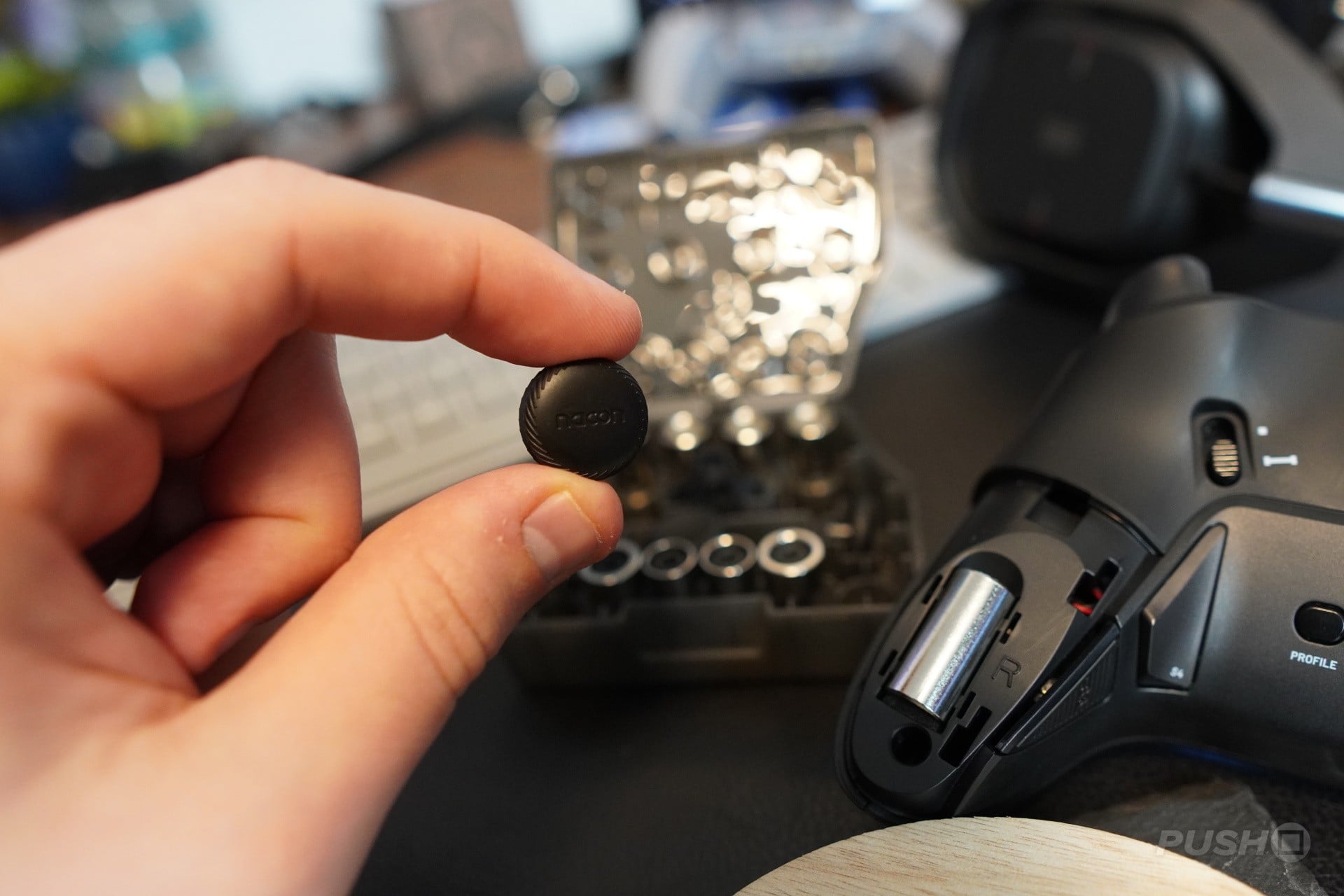
Then there is the physical customisation. You are able to switch out thumbsticks, the D-pad, and apply additional weights in the grips of the controllers. All of this is incredibly accessible, as there are no tools required. You can just pull one thing off and replace it with another. The only thing I had a bit of struggle getting off was the smaller variation of the d-pad.
How Does It Feel During Gameplay?
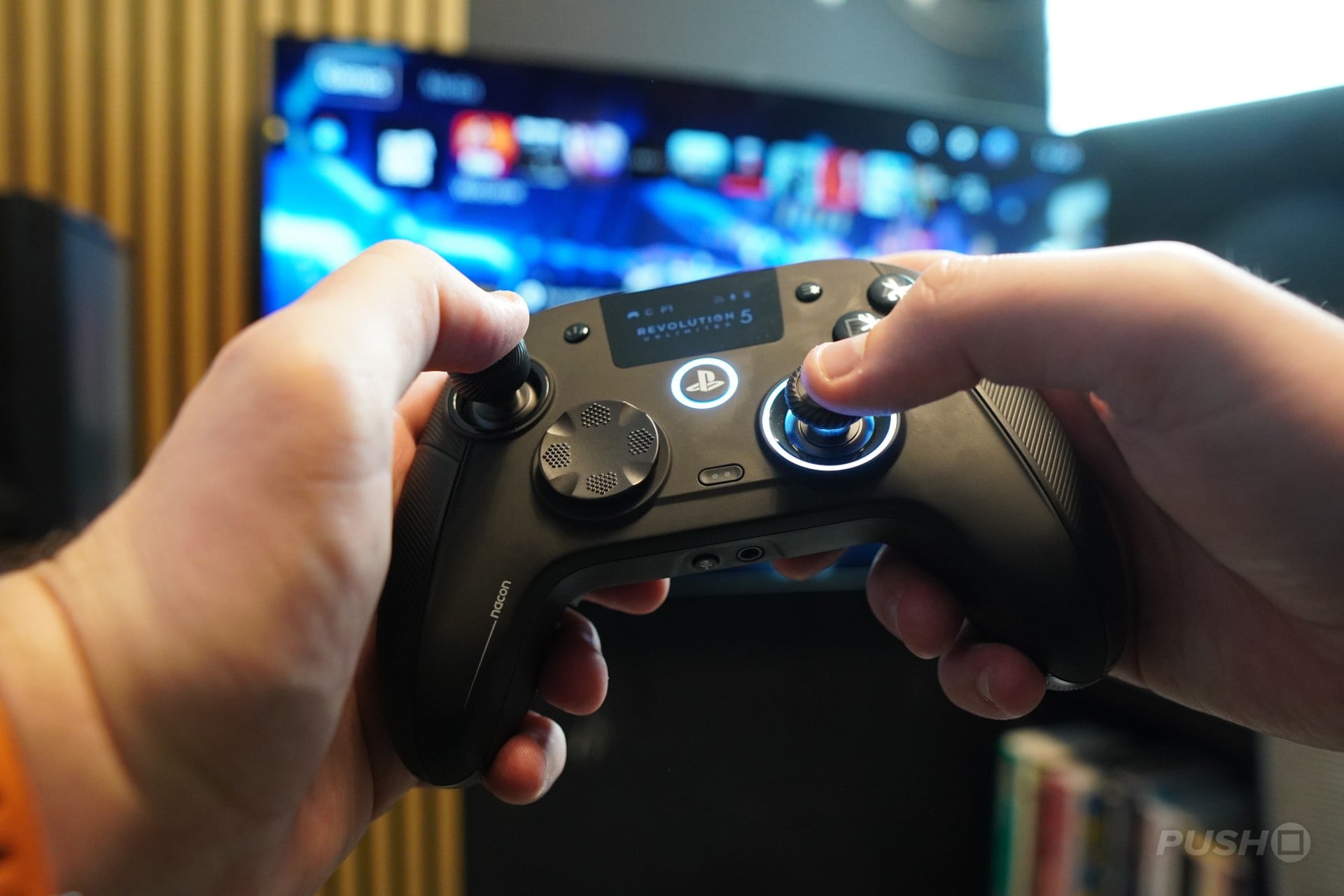
Honestly, I think the Rev5 feels great. Once you have a profile that suits you, this thing is just moulded to the hand, with each of its additional paddles easily within reach, and its physical customisation options making it feel tailor-made to you.
I love the travel of the trigger if going for long triggers, but it features a really satisfying mouse-click if you customise it to short triggers too. The TMR sticks do have that weightless feel that's typical for thumbstick utilising Hall Effect tech, but I adjusted to it quite quickly.
The easy profile swapping and customisation on the actual controller, and the feel in the hand, meant I was more inclined than ever to just use this thing for regular games, not just those competitive titles like The Finals or Modern Warfare 4. I actually played most of Zero Parades using this controller, just because it was comfortable to use, despite not using a single customisation aspect.
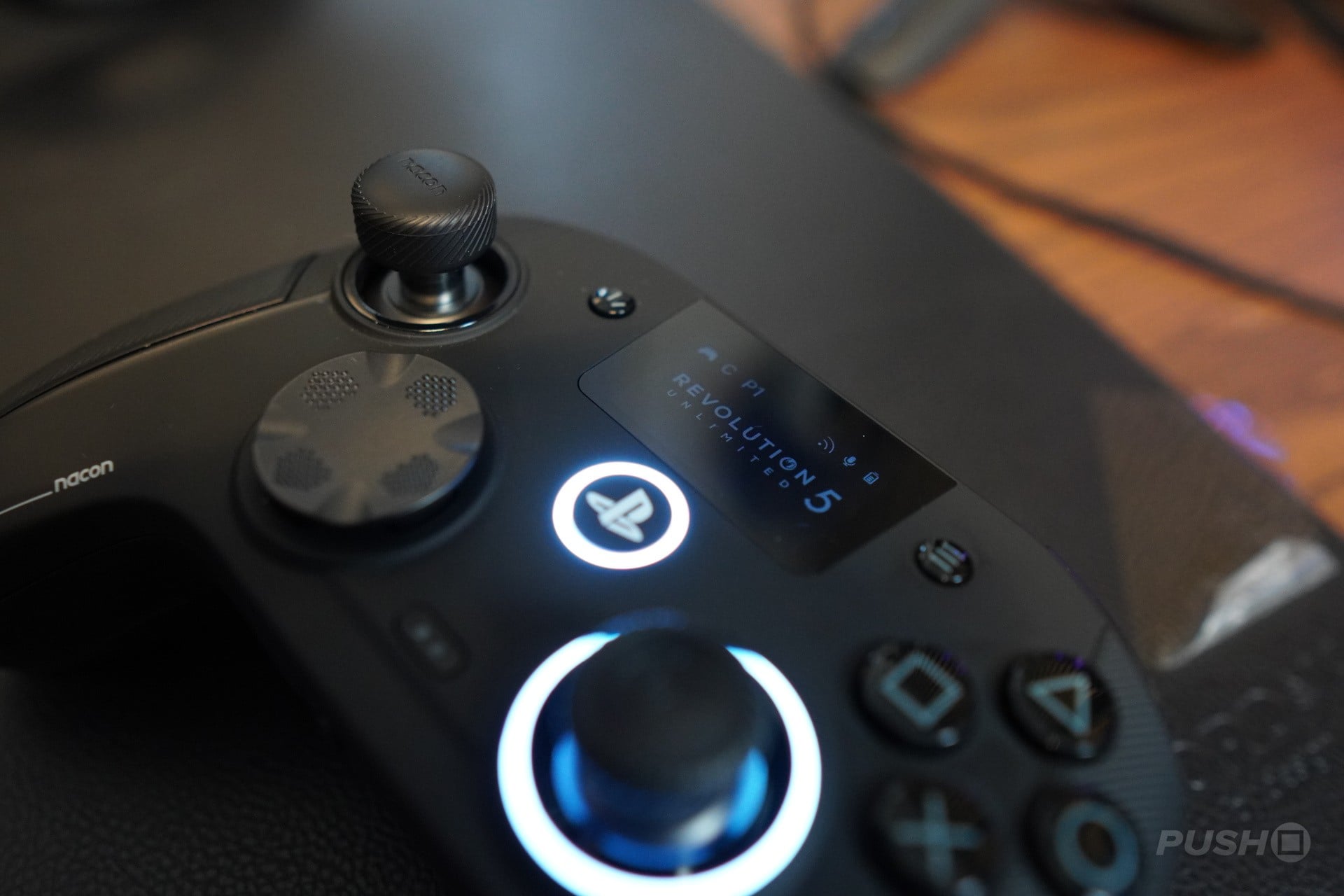
There is a pretty big flaw, however, regarding that screen – the lack of a touchpad. The button initially used to replace it is very small and not as easy to touch as I’d like when opening up maps or menus in-game. Of course, you can just use one of the other shortcuts for this if you’re so inclined.
However, it does mean if there ever is a game that utilises the touchpad, like Ghost of Yotei, for example, you’re kind of out of luck. Admittedly, there isn’t a huge number of games that utilise this feature, or have anything beyond a single-use touch, so most of the time, it’s a bit of a non-issue. However, it is something to consider if this is to be your main controller.
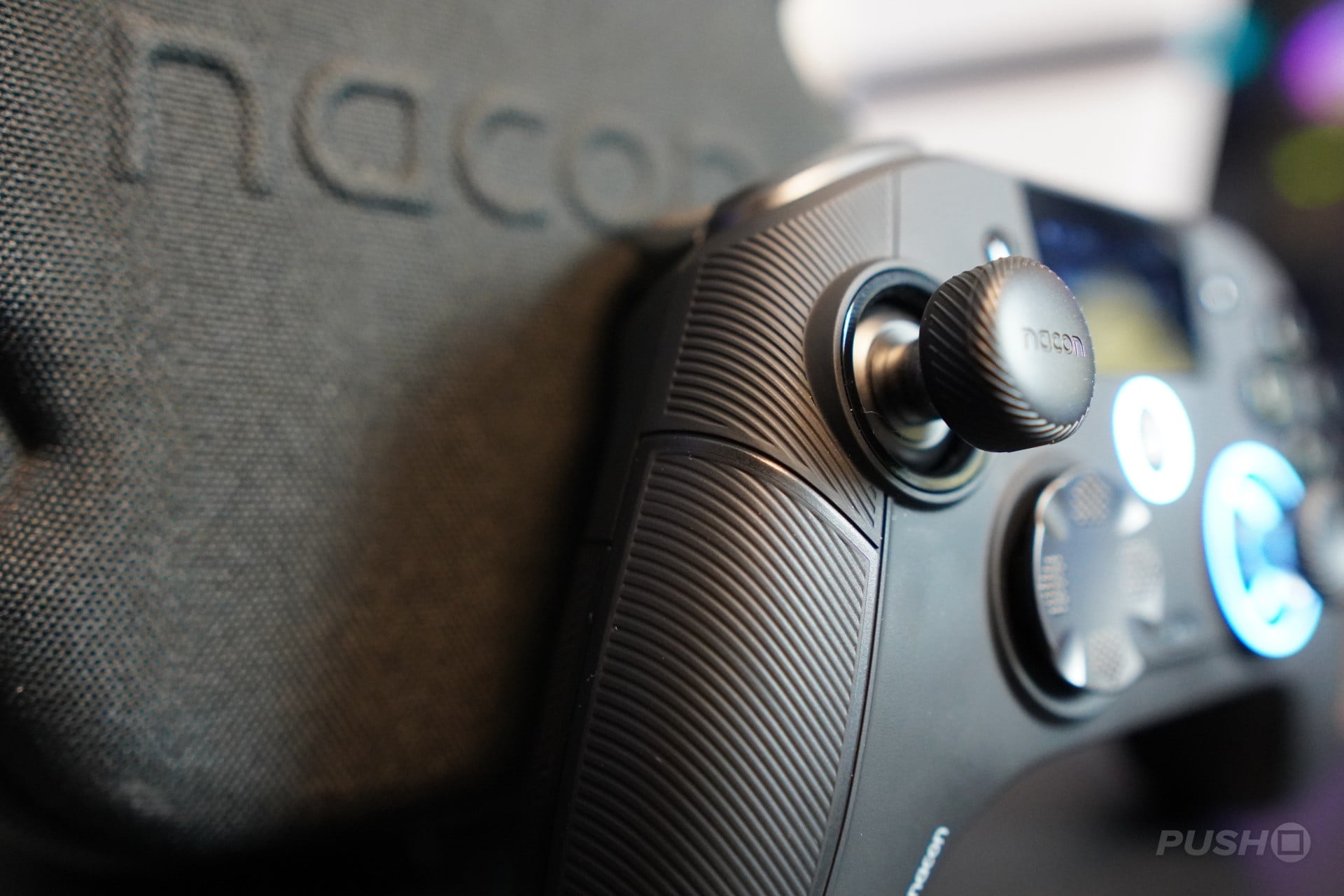
As is the case with these controllers – and the same with the last Nacon controller I reviewed – this thing doesn’t feature rumble on the PS5, meaning it’s severely lacking in the immersive department.
For a lot of people, that’s just not going to matter, but for me it’s an additional feature that always brings me back to the DualSense Edge – a pro controller with full haptics and adaptive triggers. What’s even worse is that there is actually a rumble motor in this controller, but it’s limited to use on PC.
I can’t knock the controller too much for that because outside of the DualSense Edge, most pro controllers won't feature any form of rumble. It’s just a shame because, for me, if it had rumble on PS5, it would be among my favourite controllers.
Should You Buy the Nacon Revolution 5 Unlimited?
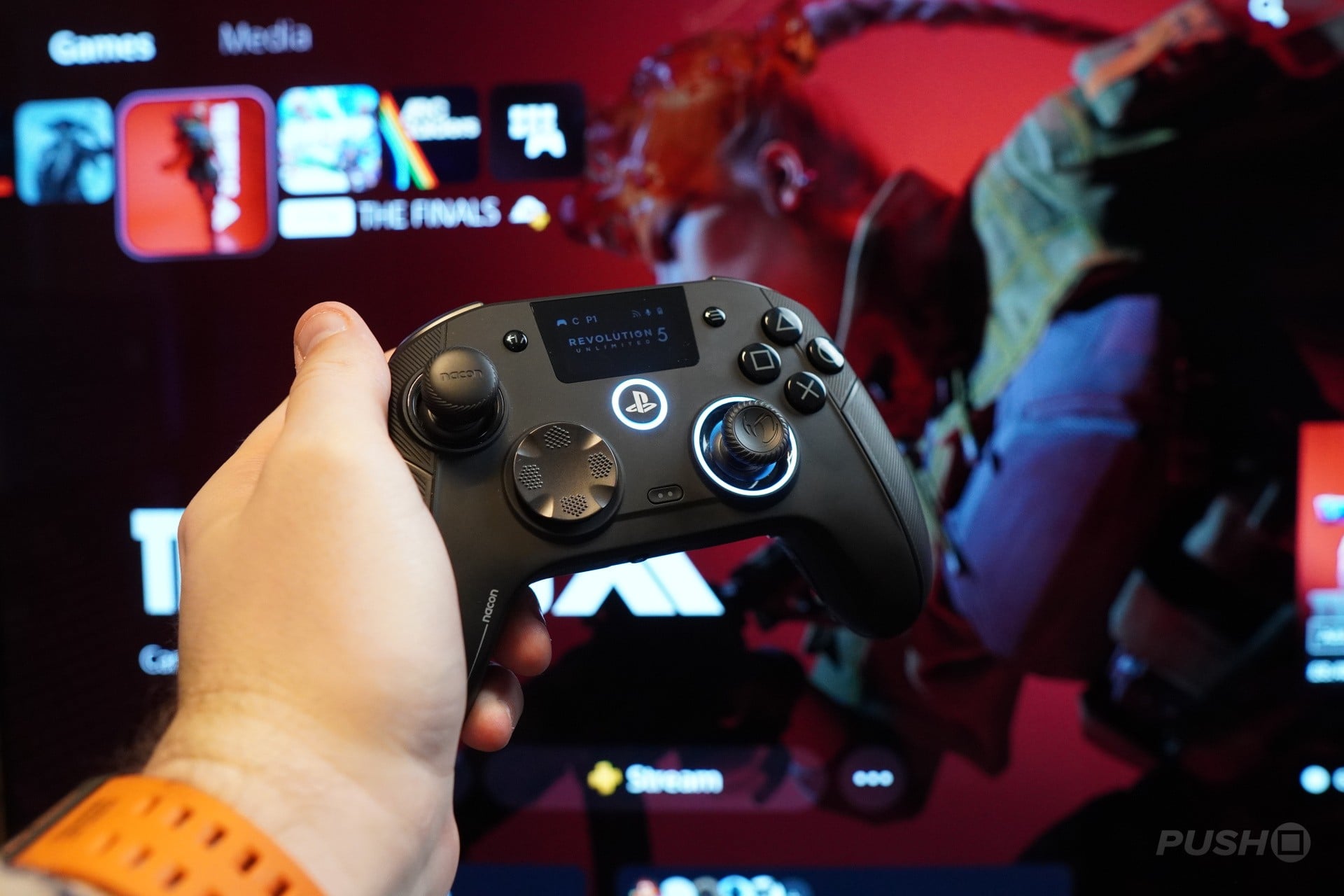
Despite my musing over a lack of rumble support on PS5, I do think the Rev5 is worth considering if you’re in the market for a pro controller.
It feels fantastic in the hand, with a satisfying click and travel to each of its buttons; the customisation is easy to change from a software perspective, but also incredibly accessible from a hardware perspective.
It features great build quality, the charger/dongle system is handy, and it comes with a pretty cool carry case. And you get all of this for about £20 to £30 less than most other pro controllers.
Is it perfect? No way. But it’s a pretty damn nice controller.

Comments 0
Wow, no comments yet... why not be the first?
Leave A Comment
Hold on there, you need to login to post a comment...