 by
by Ghost of Yotei is a cinematic game that wants you to appreciate its artistry, but sometimes, that could get in the way a bit. Case in point: those black bars when horse riding. This Ghost of Yotei guide reveals how to remove black bars.
How Do You Remove Black Bars in Ghost of Yotei?
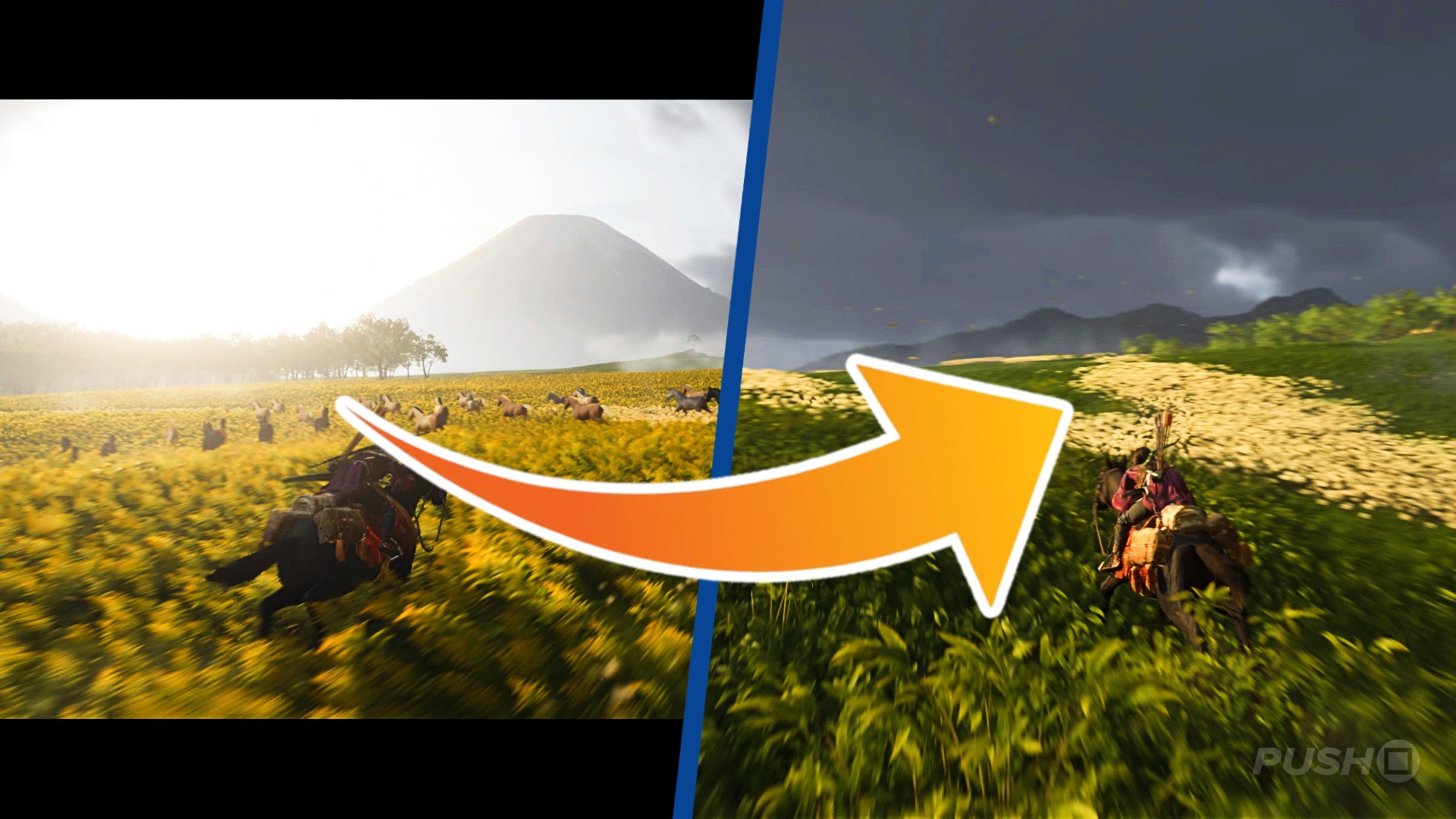
To remove the black bars when horse riding in Ghost of Yotei, press the R3 button. After a second or two, the black bars will disappear and you'll have a full-screen view again.
There is no setting or option in the pause menu that permanently removes them from the screen; you have to press the button every time they appear. As such, they can be a little annoying, but there's a very easy fix to get rid of them. If you want to zoom the camera in, close to Atsu and your horse, press R3 again.
Subscribe to Push Square on YouTube170k
Did you find our guide revealing how to remove black bars in Ghost of Yotei helpful? Let us know in the comments below and check out our Ghost of Yotei guide for an ultimate 100% walkthrough.
PlayStation Buttons based on work by VictorPines, CC BY-SA 4.0, via Wikimedia Commons


Comments 1
Very handy this guide, gave the game a hour of play last night and I wanted to turn this off instantly. I like the idea but it feels like it “closes up the world” rather than it being open world while playing. Feel it should almost go the other way around - go open when your exploring, black bars for close combat etc. Hopefully they add the option to remove anyway but this will help for now, thanks!
Show Comments
Leave A Comment
Hold on there, you need to login to post a comment...